Interaction Designer · ArtCenter M.Des
Play · Gesture Prototype
Hand Tetris
Tetris where your webcam is the controller. Built with p5.js and ML5.js handpose: no keys, no props, just gestures (and a green hand skeleton straight out of Spy Kids).
Problem
Control a game with your bare hands over a webcam — no keys, no props. But computer-vision input is noisy, physical, and imperfect; your hand is never perfectly still.
Insight
The interesting question wasn’t “can a hand control Tetris.” It was what happens to play when the input is imperfect — so instead of hiding the jitter, lean into it and match the machine’s behavior to what hands already do.
Outcome
A genuinely playable gesture controller: deadzone/delay/repeat stabilization, gesture arbitration enforcing one gesture, one action, and floating emoji “receipts” that make invisible input visible (and surfaced a hidden bug).
Play It
Allow camera access, then click into the frame. Move your whole hand left or right to slide the piece, bend your index or ring finger to nudge one tile, pinch to rotate, and drop your fingers below your wrist to hard-drop. Good lighting helps the tracking. Keyboard backups: arrow keys, space, and R.
Opens the live sketch in a new tab. Camera stays on your device.
The Idea
It started as object recognition: controlling a game with cups and lids. I stripped the props out entirely and let the body become the controller. The interesting design question wasn't "can a hand control Tetris," it was what happens to play when the input is noisy, physical, and imperfect. Instead of hiding the jitter and latency of computer vision, the prototype leans into it. Your hand is never perfectly still, and the game has to make peace with that.
Gesture Controls
Five gestures map to the whole game. Hold hand left / right slides the piece. Index-finger bend nudges one tile; ring-finger bend nudges the other way. Pinch rotates. Fingers dropped below the wrist hard-drops. ML5's handpose gives 21 landmarks per hand, and I drew a live green skeleton over the camera so I could see, in real time, that the model was actually locked onto my hand.
Taming the Jitter
The first working build was unplayable: far too sensitive. Even when I thought my hand was still, tiny wrist tremors read as movement, so the piece drifted on its own. The root cause: I was mapping wrist position to movement every single frame, and handpose updates many times a second, so any micro-variation flipped the "move" state. Noise was being treated as intent.
The fix was three layers of stabilization, which together turned movement into a tiny state machine. A deadzone ignores small drift around center, so the wrist has to travel a real distance before it counts as a direction. A delay proves intent, the first move fires instantly, but repeats only start after you've held a direction briefly, so a quick lean doesn't run the piece away. And a repeat rate makes held movement slide at a predictable speed instead of stuttering frame-by-frame.
The change matched the reality of how people actually hold their hands in front of a camera. Movement finally felt intentional instead of twitchy — and that one fix made the whole thing feel "playable."
When the Skeleton Wouldn't Line Up
The biggest visual bug: my green skeleton drifted off my actual hand. The camera was being drawn "cover style", scaled and cropped to fill the screen, but I was plotting landmarks in raw video coordinates, so the overlay never matched the transformed feed. I computed a matching cover transform (scale plus draw-offset) and ran every landmark through it before drawing, then flipped X because the camera is mirrored. After that, the skeleton locked onto my hand.
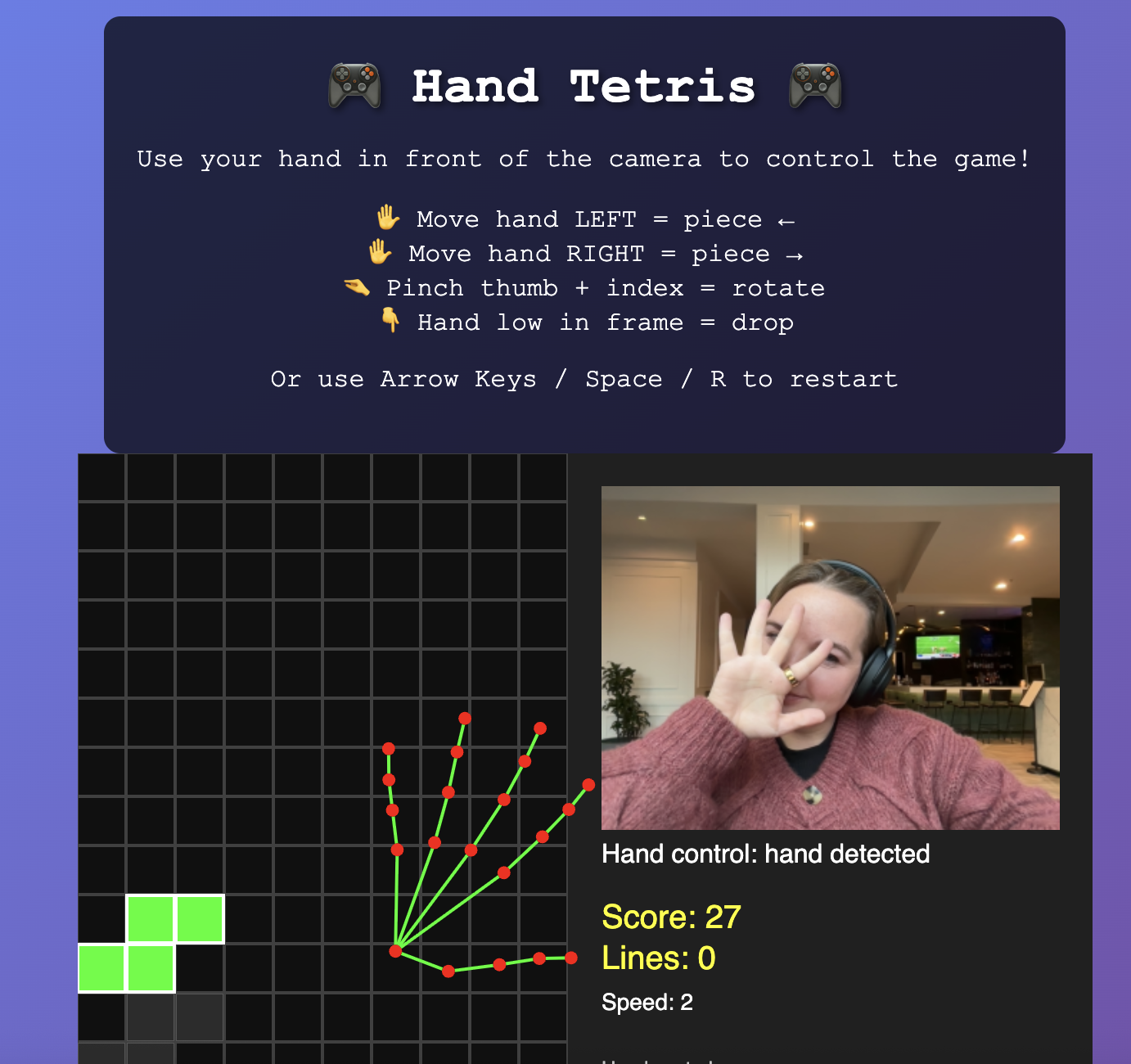
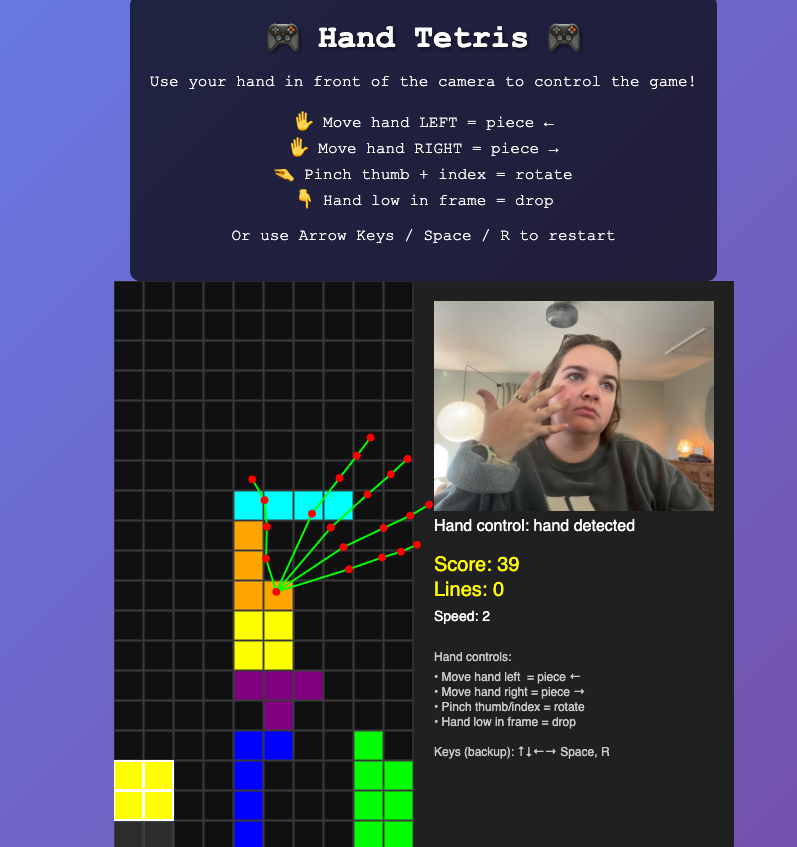
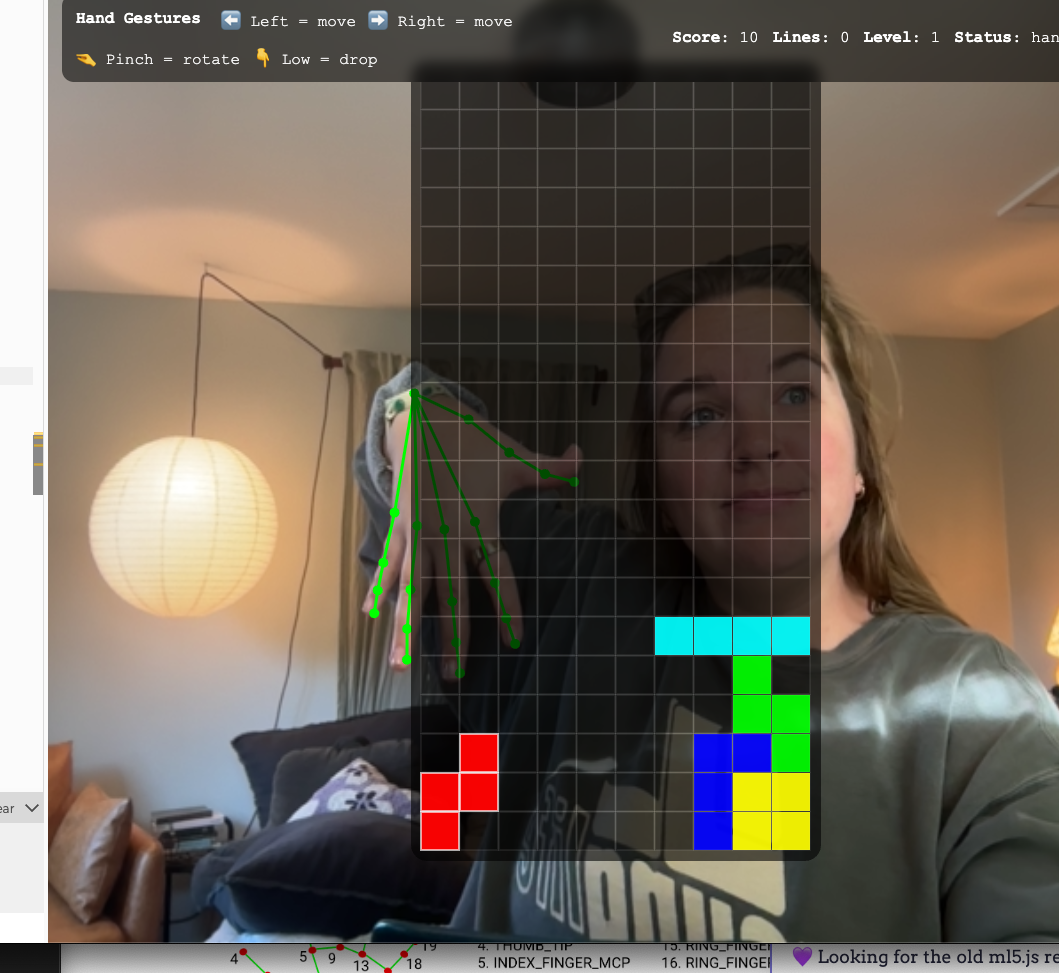
The start of the problem → frustration building → success.
Making Invisible Input Visible
Gesture control has a learnability problem: a successful gesture is invisible, so when something happens you don't know why. I added lightweight floating emoji that confirm what the model thinks you just did, a rotate symbol on a pinch, finger symbols with a direction on nudges, an upside-down hand on a drop. They act like a receipt for your intent, which dramatically cut the "wait, why did it move?" confusion during testing.
The feedback also exposed a hidden bug I'd never been able to see. Every pinch-rotation was often followed by an accidental index-bend nudge, one intent producing two actions. The emoji made the conflict obvious for the first time.
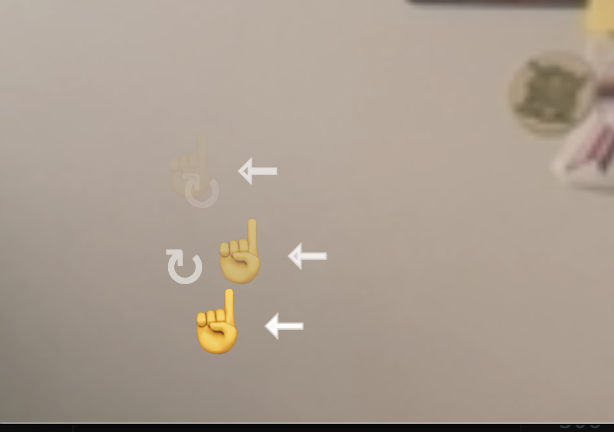
The feedback system surfacing a gesture conflict
The fix was gesture arbitration: pinch-rotate became the higher-priority gesture, and firing it sets a short time-based lockout that blocks the lower-priority finger bends. Rotation stopped dragging the piece sideways. It still isn't perfect, but the controls started enforcing a rule people assume naturally, one gesture, one action.
Framing It Like a Product
I treated the p5 sketch as one component inside a designed interface, not "just a canvas." A clear hierarchy (title, instructions, live prototype) plus an onboarding screen that tells you what to try first while the camera initializes. The HUD always narrates what the system believes is happening ("hand detected" / "no hand"), so a missed hand or a lighting change reads as feedback instead of a mystery. I also dialed the webcam down to 640×480 on purpose: less pixel data per frame meant steadier tracking, a worthwhile trade for a slightly softer image.
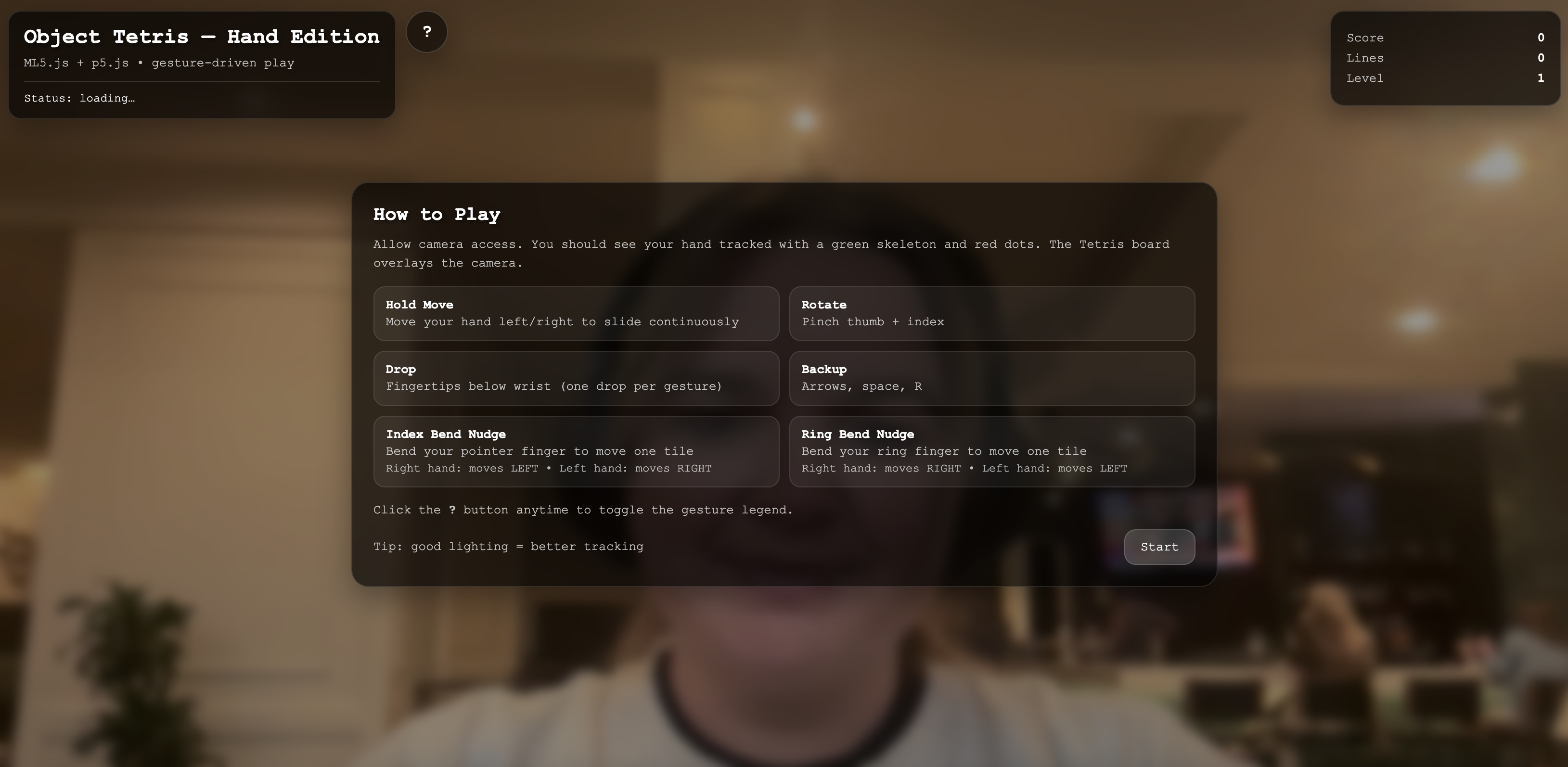
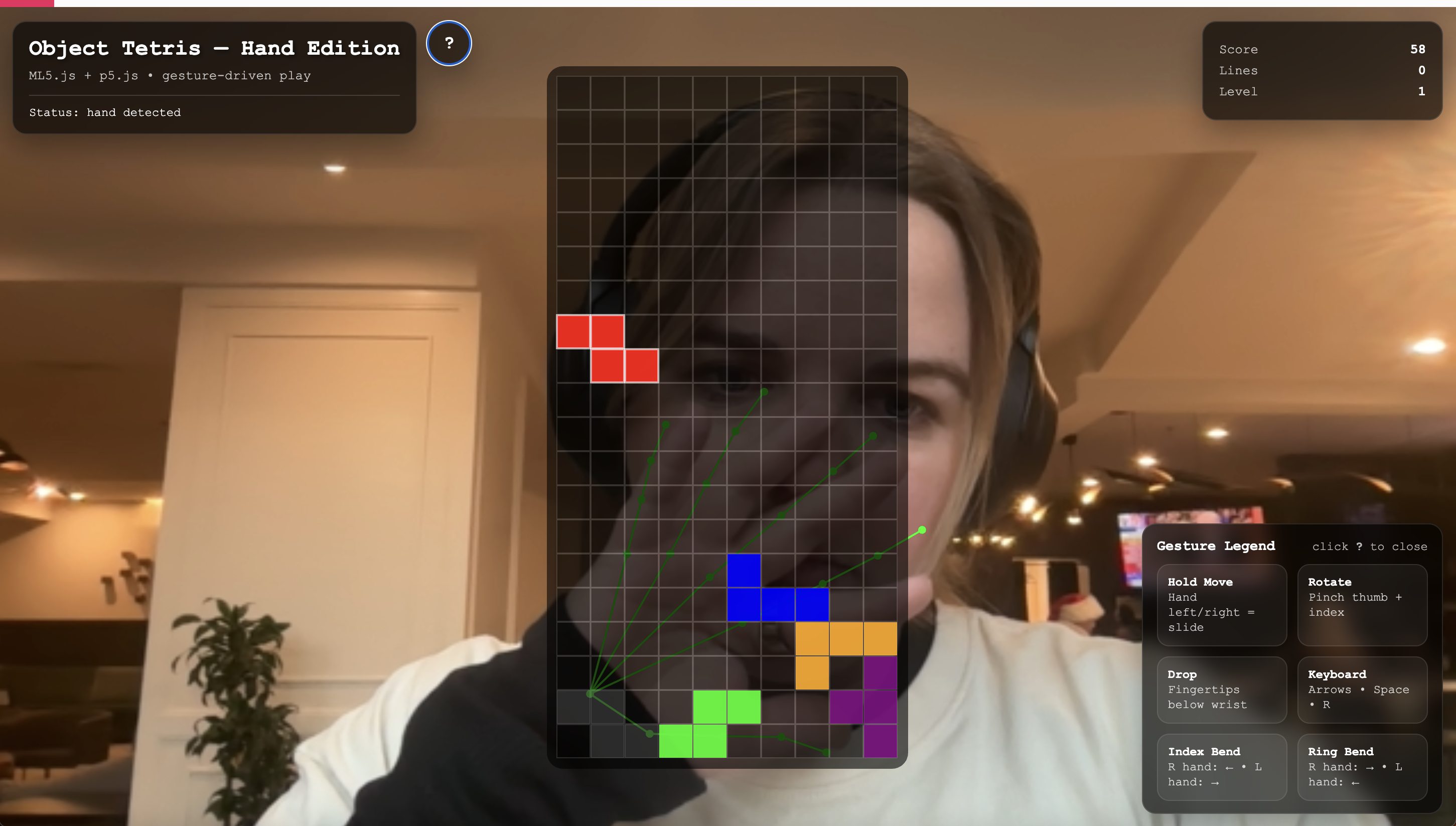
Onboarding screen and the final designed UI
Reflection
Hand Tetris reframes gameplay as a negotiation between human motion and machine interpretation. Rather than optimizing for perfection, the system makes visible how our bodies adapt to imperfect sensing, and how much of "good" interaction is really just matching the machine's behavior to what people already expect their hands to do.
Also, I have to say: I love the drawn green hand. It makes me feel like I'm in Spy Kids. Just needed to profess that.